Product
Track Partner Pipeline in HubSpot: A Practical Guide

How to Track Partner Pipeline in HubSpot (Without Losing Your Mind)
Ask your team where the partner deals are. Watch what happens. First a pause, then a spreadsheet, then a second spreadsheet that argues with the first.
While you dig, the partner who sent the referral is emailing to ask if it closed, and nobody can say. HubSpot is a good CRM. It was never built to run a partner program. That gap is where partner revenue leaks, quietly, until a board meeting drags it into the light.
Here is how to track partner pipeline inside HubSpot: what to build, where the standard setup collapses, and how to fix it first.
Why partner pipeline breaks by default
HubSpot thinks in contacts, companies, and deals. A partner is none of those cleanly. A referral partner is a company that never buys from you. A reseller sells and buys at once. An integration partner touches fifty deals a quarter and shows up on none of them.
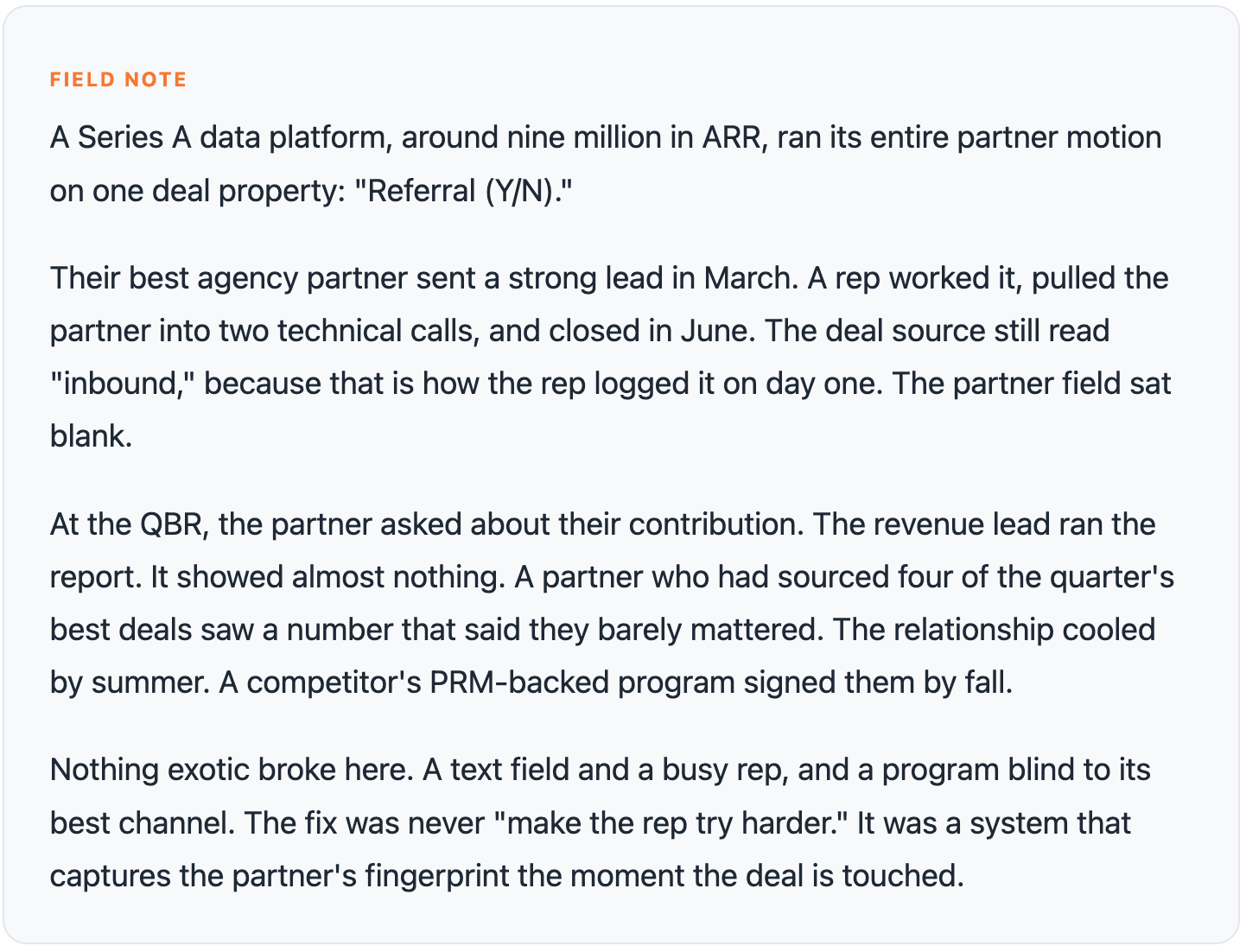
So teams improvise. Partner name goes in a text field. Deal source gets tagged "Partner." Everyone moves on. Six months later someone asks how much revenue agency partners actually influenced, and the honest answer is a shrug.
The problem is not effort. Partner motions refuse to fit one shape.
Referral: one introduction, then a handoff.
Co-sell: two reps on one deal, both wanting credit.
Agency: arrives mid-cycle and reshapes the scope.
Integration: drives usage and expansion, invisibly.
Reseller: owns the customer end to end.
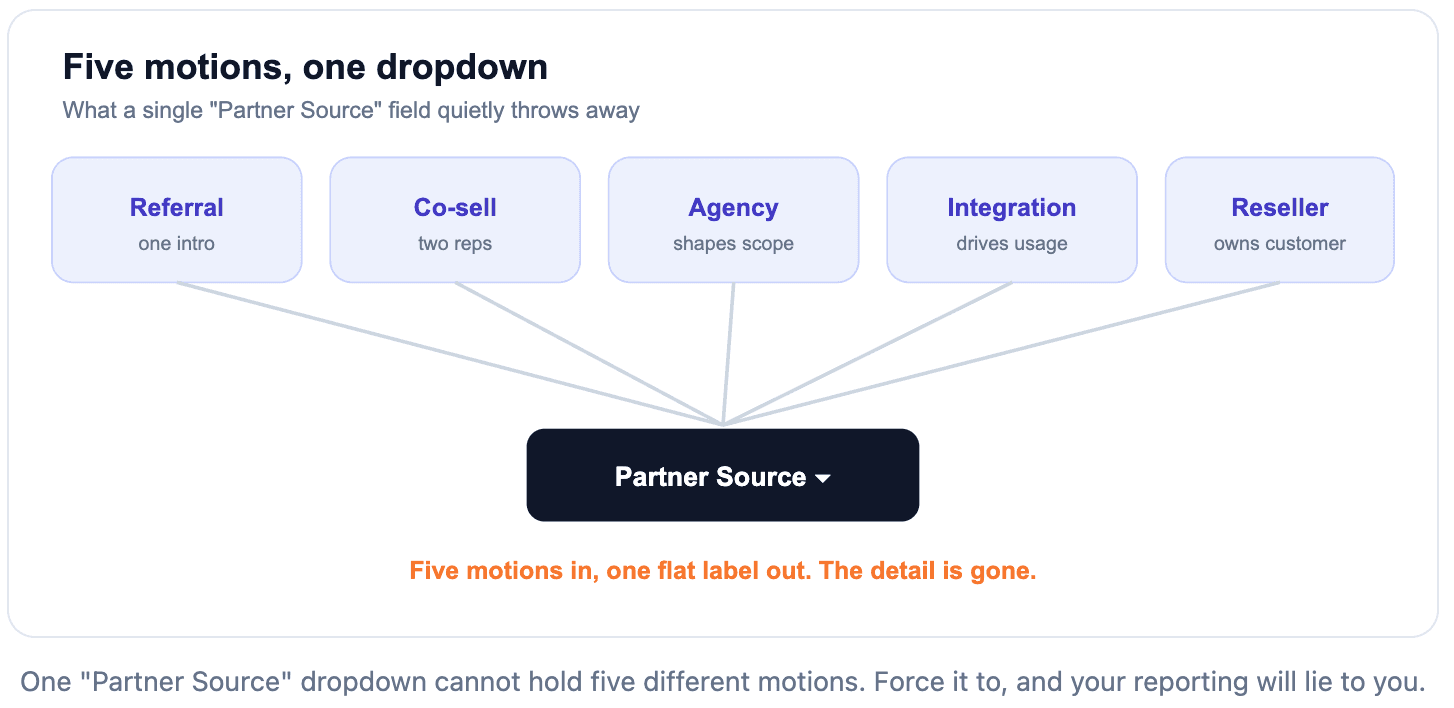
A text field is where partner attribution goes to die.
The minimum viable partner setup
Get the fundamentals right before you buy anything. Most of this takes an afternoon on a Professional seat.
1. Give partners a real home
Create a company record for each partner and set a custom company property (say "Company Type" set to "Partner") so partners are queryable, not lost in your customer list.
2. Use association labels, not text fields
This is the highest-leverage move you can make. HubSpot's association labels let you link a deal to a partner company with a named relationship: "Sourced by Partner," "Co-selling Partner." Now the connection is data you can report on, not a string somebody typed at 5pm on a Friday.
3. Build a partner-aware pipeline, carefully
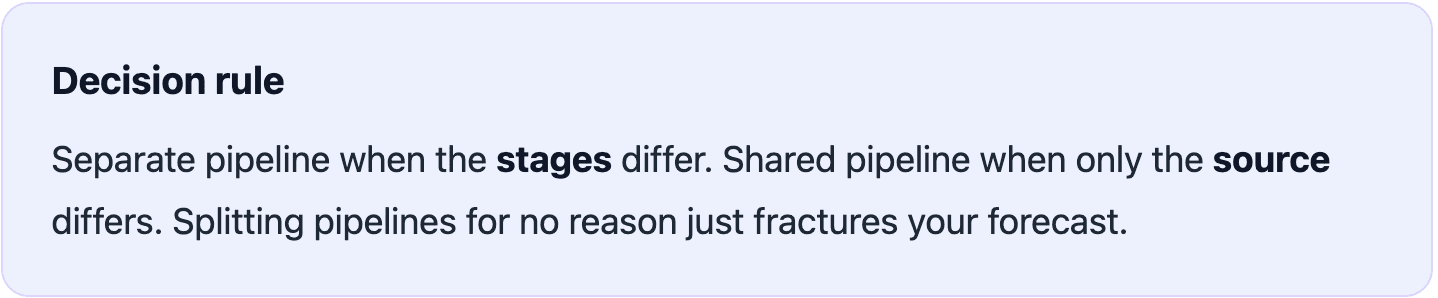
You have a choice, and it matters. Give partner deals their own pipeline when the sales process genuinely differs (deal registration, approval steps, different stages). Keep them in your main pipeline and segment with properties when only the source differs.
4. Add three deal properties
Partner Motion: referral, co-sell, agency, integration, reseller.
Partner Role: sourced, influenced, closed-by.
Registration Date: when the partner claimed it.
5. Automate the boring part
One workflow that pings the partner manager when a deal is marked partner-sourced, and stamps the registration date, ends most "who owns this" fights before they start.

The Partner Deal Ledger
Every partner deal should answer four questions. Each answer lives in a field, not in someone's head. I call it the Partner Deal Ledger, and it is the difference between a program you can defend and a guess.
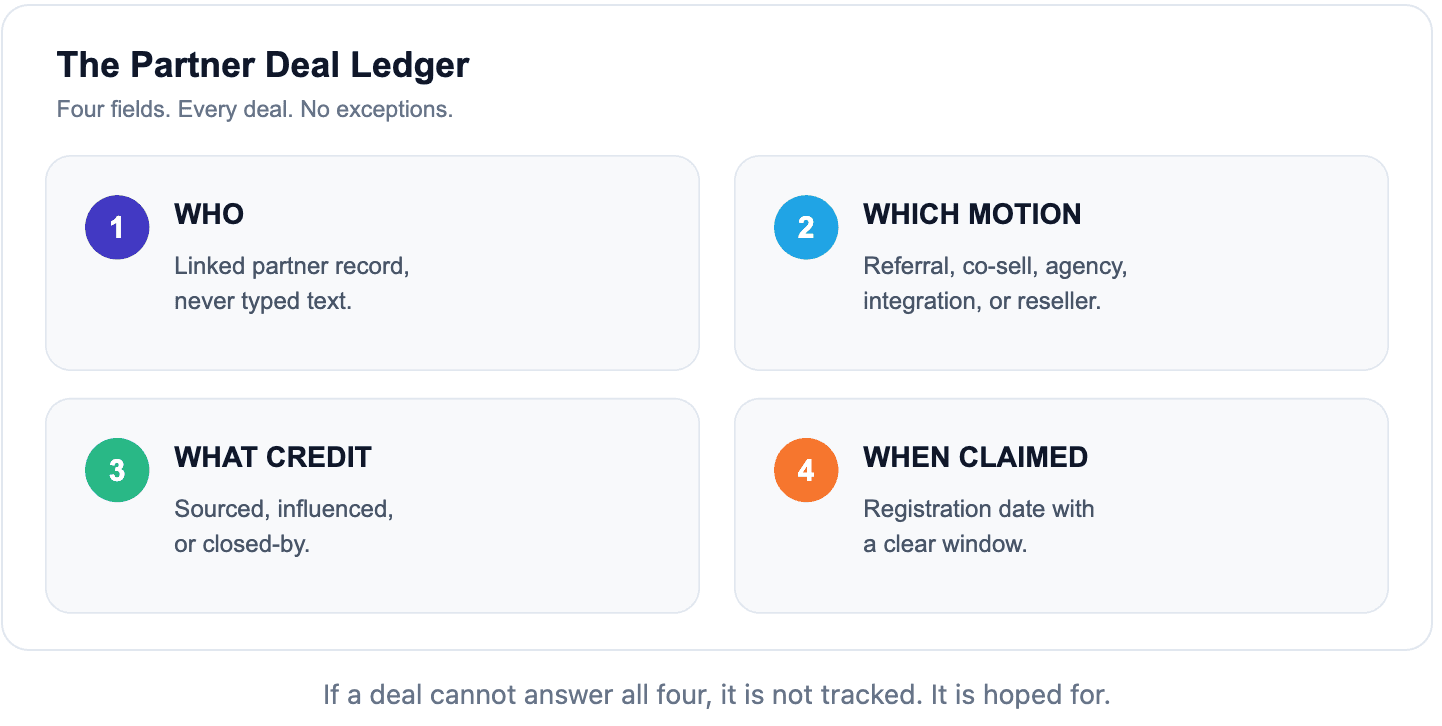
Who. Which partner, as a linked record, never typed text. Two partners on one deal? Both get associated, with distinct labels.
Which motion. Referral, co-sell, agency, integration, or reseller. This one field decides how you pay, how you forecast, and how you talk to the partner.
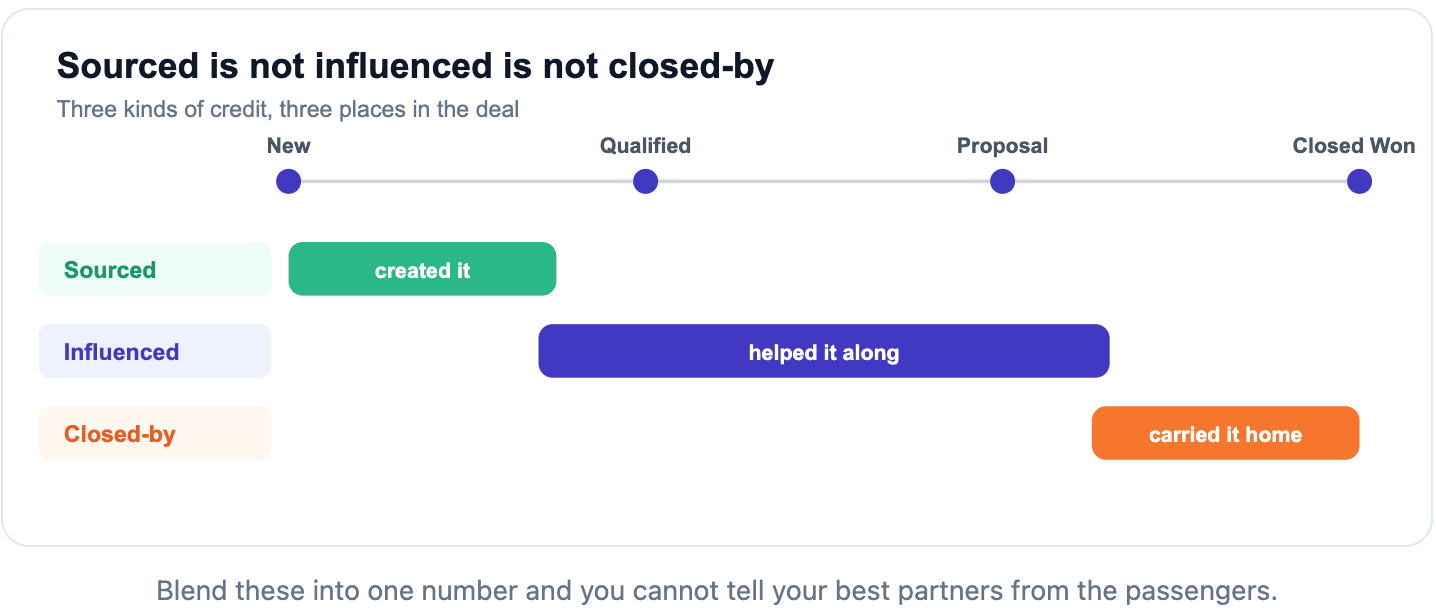
What credit. Sourced, influenced, or closed-by. Sourced created the opportunity. Influenced helped it along. Closed-by carried it over the line. Pay them as if they were the same thing and you overspend on partners who ride along while underpaying the ones who generate.
When claimed. A registration date with a clear window. Skip it and you get the ugliest conversation in partnerships: two partners claiming the same logo, and you with no timestamp to settle it.
Four fields. Every deal. No exceptions. The discipline is boring, which is exactly why it works.
What this looks like in the real world
Reporting is where this pays off
Structure the data and HubSpot's custom report builder earns its keep. Build four reports. Put them on one dashboard the whole revenue team sees.
Partner-sourced pipeline created, by motion and by partner.
Partner-influenced revenue: deals a partner touched but did not source.
Win rate, partner vs non-partner. This number changes how founders feel about partnerships faster than any deck.
Time-in-stage for partner deals. Co-sells often move quicker. Prove it.
Two traps. Never double-count: a deal that is both influenced and closed-by one partner is still one deal. And always split sourced from influenced. Blend them and you get a number that is technically big and completely useless for deciding where to spend.
Where the HubSpot-only build hits its ceiling
Labels, properties, and workflows carry you further than most teams expect. Then every growing program hits the same wall.
No partner portal. Partners cannot register deals, so registration lives in your reps' hands, and reps forget.
Conflict is manual. Two partners claim one account and you adjudicate by hand, with whatever timestamps you happen to have.
Partners are blind. They cannot see their own pipeline, so they email you for updates and you become a human status API.
Attribution stays fragile. One rep logs a source wrong and the channel vanishes from your reporting.
Payouts are a spreadsheet. Fees get calculated off exports, reconciled by hand, disputed by partners.
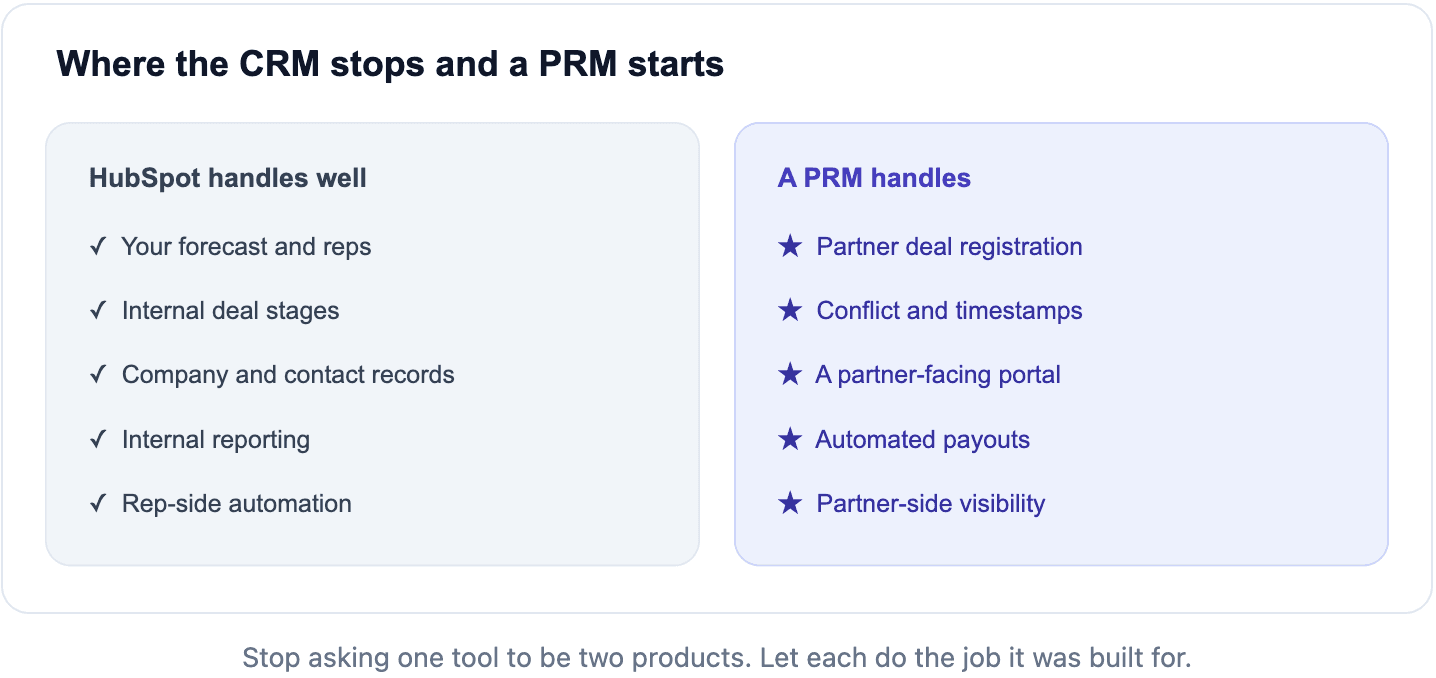
These are not HubSpot bugs. They are the edge of what a CRM does. A CRM tracks your revenue team. A partner program has a second set of users (the partners) with their own needs, and HubSpot has no seat for them.
Where Partner.io takes over
Partner.io is a PRM that sits alongside HubSpot and gives partners the front door the CRM never had, while every deal stays synced to the system your reps already live in.
Partners register their own deals through a partner portal, which timestamps the claim and ends the "who got here first" argument on its own. Those deal registrations flow into HubSpot through the native HubSpot integration as deals with the partner, motion, and credit already attached, so reps retype nothing and your data stops depending on memory. Partners watch their own pipeline instead of emailing you. Payouts calculate off one source of truth, not a fragile export.
You are not replacing HubSpot. You are ending the demand that it be two products at once. Forecast and reps stay in HubSpot. Partner.io runs the partner-facing side HubSpot was never designed to hold, and the two stay in sync.
See it working in your own pipeline
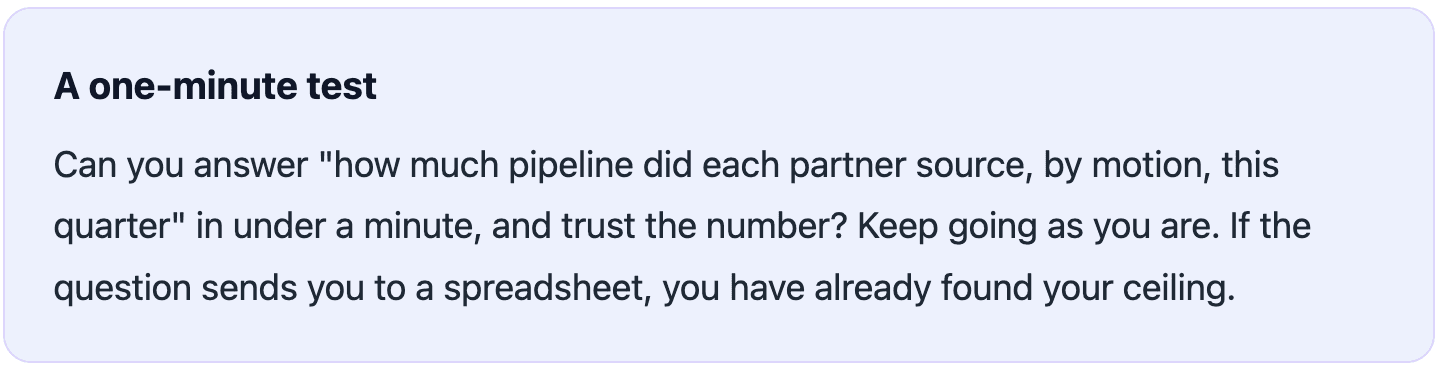
Watch partner deals land in HubSpot with source, motion, and credit already attached.
Request a demo
Do this this week
Turn on association labels. Retire the partner text field.
Add the three deal properties: motion, role, registration date.
Build the four reports on one shared dashboard.
Watch where reps forget to log partner data. That friction is your business case.
Structure first, then automation, then a portal that lets partners log their own deals. The week that step four starts costing you real revenue is the week the spreadsheet stops being cheaper than the truth.
For more partner operations playbooks, browse the Partner.io blog, or brush up on the mechanics in HubSpot Academy.
Start your free 14-day trial →