Product
UX Research Plan Template | Run Better Usability Tests with Assemble
UX Research Without the Chaos: A Practical Plan and Usability Script You Can Actually Use
Most teams say they care about user experience. Fewer teams test it properly. Not because they don’t want to, but because research often feels heavy, slow, or locked behind academic frameworks that look good in theory and fall apart in practice.
I have watched smart teams skip research because the process felt like work before the work. Endless documents. Disconnected notes. Findings that never quite make it back into the product.
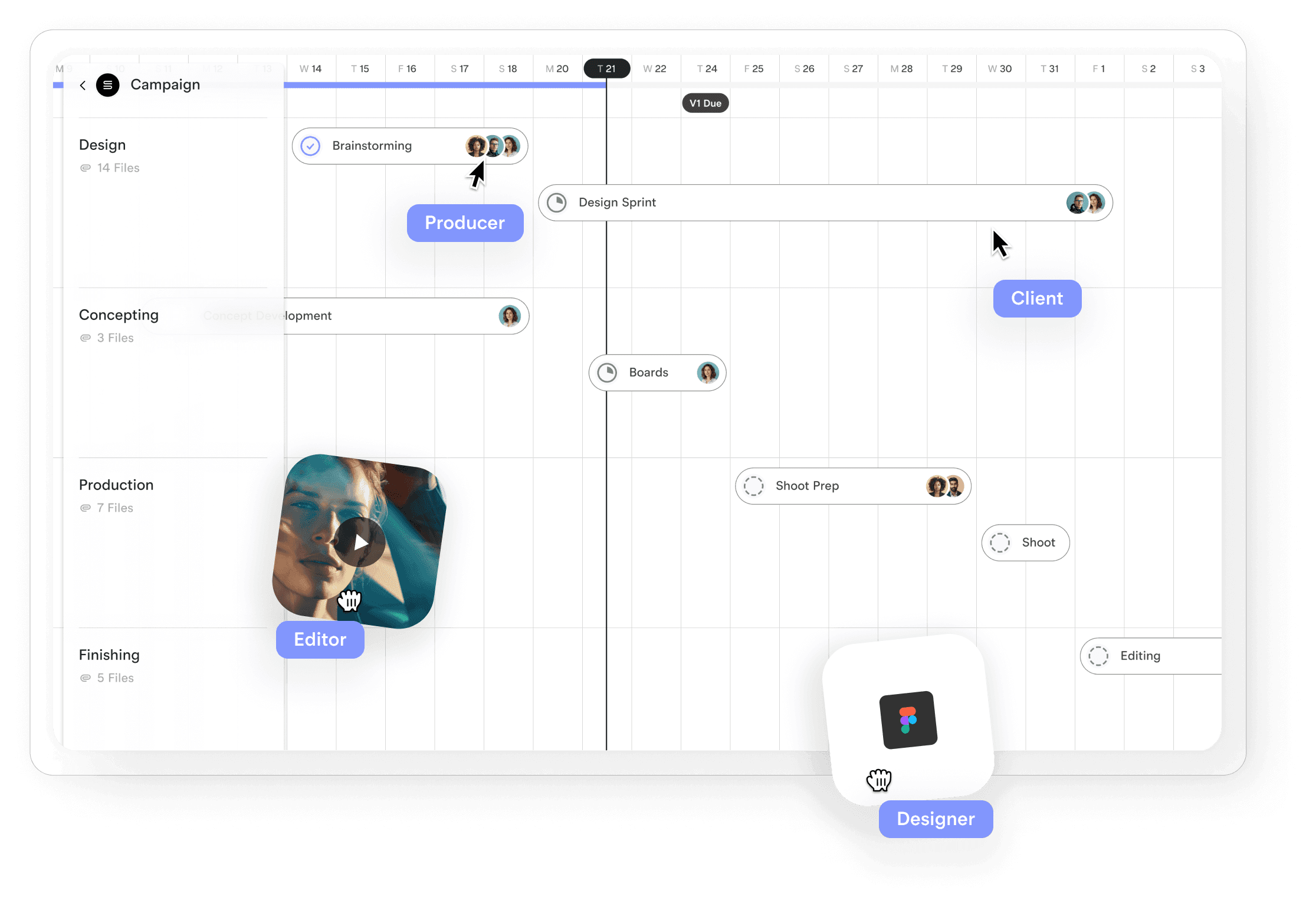
That is exactly why this UX Research Plan and Usability Test Script exists. It is not a textbook. It is a working tool. One place to plan your research, run your sessions, and turn what you learn into something the whole team can act on.
And when you build it inside Assemble, it stops being a document and starts becoming part of how your team actually works.
Why Most UX Research Fails Before It Starts
The problem is not a lack of intent. It is friction.
Plans live in one doc. Scripts in another. Notes scattered across tools. By the time the study is done, nobody can remember the original goal, and insights die in a folder no one opens again.
Good research is simple. You define what you want to learn. You talk to real people. You observe what happens. You decide what changes.
The hard part is keeping everything connected.
That is what this template is designed to fix.
One Template, From Plan to Playback
This UX Research Plan and Usability Test Script brings the entire workflow into a single structure. You start with the why, move through the how, run the sessions, and end with decisions that can actually shape the product.
Here is what it gives you.
1. A Clear Research Overview
Every strong study starts with a tight focus. Not a vague goal like “improve usability” but a real question your team cares about.
What are we trying to validate?
What assumptions are we testing?
Who needs the answers?
When these are visible from the start, the sessions stay sharp and the outcomes stay relevant.
2. Objectives That Drive Action
Instead of a laundry list of nice-to-haves, this section forces you to define what success looks like. Not in theory, but in outcomes you can observe.
Are you testing a new onboarding flow?
Trying to reduce drop-off in a key task?
Validating whether users understand your pricing?
This is where research stops being abstract and starts being useful.
3. Methodology Without the Jargon
Remote or in person. Moderated or unmoderated. Interviews, usability tests, or field studies. The template keeps it simple and practical so you can choose the format that fits your reality, not someone else’s playbook.
You document:
The type of study
The tools you will use
How long sessions will run
No fluff. Just what your team needs to execute.
4. Participant Criteria That Actually Matter
Bad research often comes from talking to the wrong people.
This section forces clarity on who you need in the room. Demographics, experience level, whether they are existing customers, and where you will recruit them from.
When you get this right, every insight is more trustworthy.
5. Test Materials and Scenarios
This is where the research becomes real.
You link your prototype or live product. You define the flows you want to test. You write the scenarios participants will follow.
Not hypothetical tasks. Actual journeys that reflect how people use your product.
The Usability Test Script That Keeps Sessions Human
Scripts get a bad reputation because they can feel robotic. This one is designed to do the opposite.
A Human Opening
You start by setting the tone. Thank the participant. Explain that you are testing the product, not them. Ask for consent to record. Simple, respectful, and disarming.
Warm-Up That Builds Context
Before jumping into tasks, you learn who they are and how they normally work. A few questions about their role and how often they use tools like yours gives you the lens to interpret everything that follows.

Task Scenarios With Real Outcomes
Each task includes:
The instruction you give
What success looks like
Space for notes
For example:
“Please sign up for a new account.”
Success: Participant completes sign-up without help.
This keeps observation grounded in reality. You are not guessing whether something worked. You are watching it happen.
Probing Without Leading
After each task, you ask what they expected, what confused them, and what they would change. These are the moments where real insight surfaces. Not from metrics alone, but from how people describe their experience in their own words.
A Thoughtful Wrap-Up
You finish by asking what felt easy, what stood out, and what they would change if they could. These answers often reveal priorities your team did not anticipate.
Metrics That Tell a Clear Story
Qualitative feedback is powerful, but structure matters. The template captures:
Task success rate
Time on task
Error rate
Satisfaction scores
Observational notes
This mix of numbers and behavior gives you both the “what” and the “why”.
Turning Sessions Into Decisions
The final sections focus on synthesis and action.
You define how data will be captured. Notes, recordings, spreadsheets.
You choose how you will analyze. Thematic coding, affinity mapping, quantitative review.
You decide how results will be shared. Report, presentation, highlight reel.
Most importantly, you document next steps. What happens now. Who needs to see this. What changes will be made.
Research that does not change the product is just theatre. This template is built to prevent that.

Why Build This in Assemble
You could paste this into a doc and call it done. But that is exactly how research ends up forgotten.
Assemble turns this into a living system.
You can:
Customize the structure to match your process
Reuse it across projects without starting from scratch
Collaborate in real time as sessions happen
Keep plans, notes, and outcomes in one place
Create a library of research that your team can actually search and learn from later
This is not just a template. It is a repeatable way of working.
The Real Payoff
When research is easy to run and easy to share, teams use it more. Decisions stop being driven by gut feeling alone. Assumptions get tested early. Features ship with fewer surprises.
You move faster because you are more certain.
That is what good templates do. They remove friction from important work.
If you want your UX research to stop living in scattered docs and start shaping real decisions, build your process in Assemble.
👉 Create your UX Research Plan and Usability Test Script in Assemble
Plan once. Learn faster. Improve what actually matters.
Build once. Deliver better. 🚀✨
Great decisions are rarely accidental. They happen when your thinking is visible, structured, and shared 💡🧠
If your research plans, usability scripts, and findings live in folders, attachments, and half-remembered versions, they are costing you time and clarity ⏳📁 Context disappears. Insights get buried. Teams move forward with different interpretations of the same work 😵💫
Assemble gives you a smarter way to create, manage, and scale documents that actually move work forward ⚙️📈 Your UX research plan is not just a file. Your usability test script is not just a checklist. Together, they become a living system for planning, running, and improving research in one place 🧩🔄
No academic theatre. No bloated process. Just a clear structure for capturing intent ✍️, testing real behaviour 👀, and locking in outcomes that still make sense months later 🔐
Build it once 🛠️
Improve it as you go 🔁
Keep every insight clear, searchable, and easy to trust 🔎🔒
Customise it 🎨
Share it 📤
Collaborate in real time 🤝⚡
Try Assemble and turn your templates into tools that turn research into better decisions 📊➡️💥