Startups
Campaign Portfolio Dashboard Template for Marketing Teams | Assemble

A campaign brief shouldn’t sit in a shared drive collecting digital dust. It should guide decision-making, keep execution tight, and help the team deliver results confidently.
The Marketing Campaign Portfolio Dashboard That Finally Gives You Control
Most teams do not struggle because they lack ideas. They struggle because they lack visibility.
Campaigns launch across channels, budgets are approved, targets are set, and then reality hits. Updates live in spreadsheets, decks, Slack threads, and inboxes. Leadership asks simple questions that somehow take days to answer. How many campaigns are active right now? Which ones are actually driving results? Where should we reallocate the budget this month?
When information is scattered, decision-making slows down. And in marketing, slow decisions cost money.
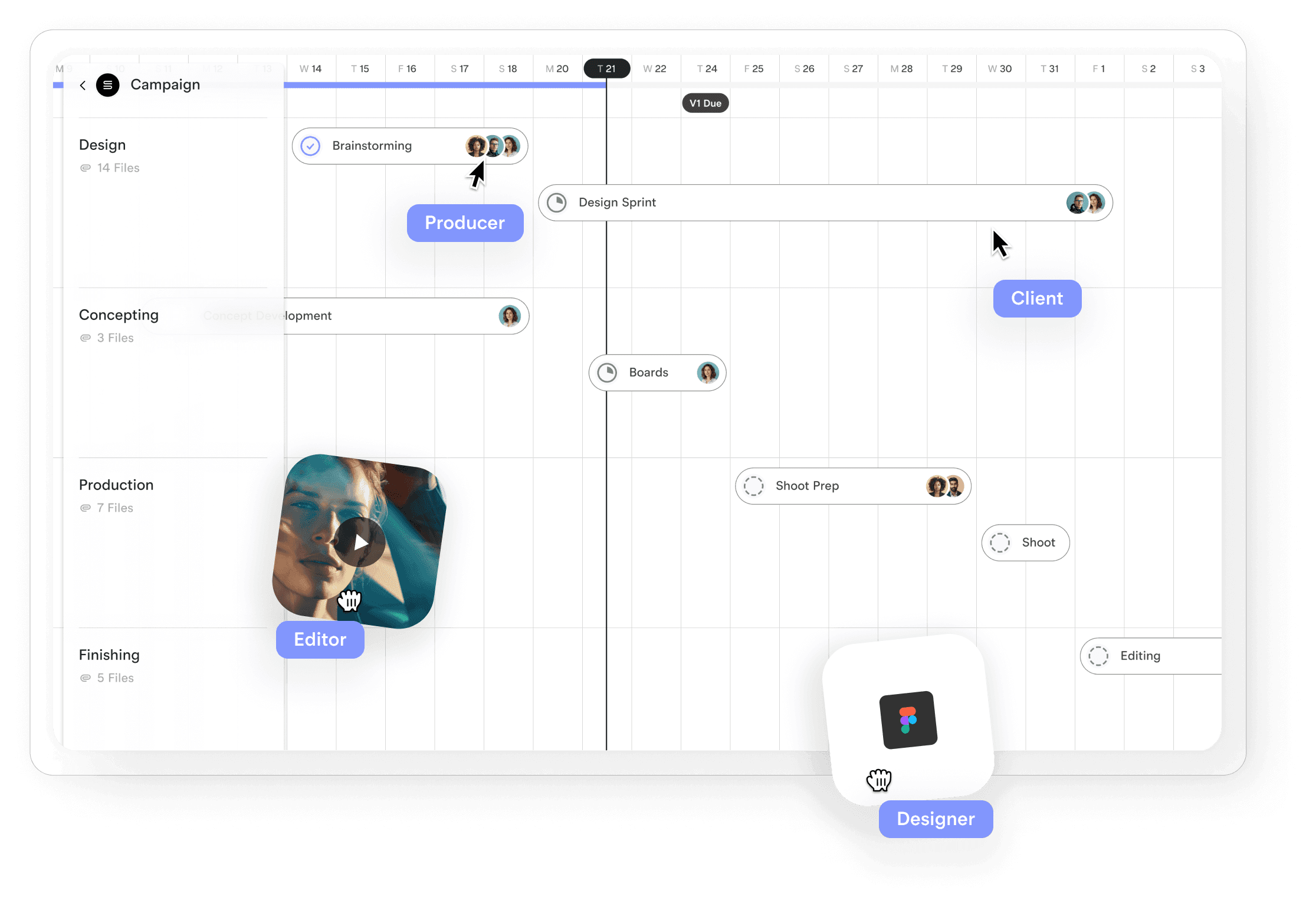
That is why more teams are shifting away from one-off reports and toward portfolio-level campaign management. Not just tracking individual campaigns, but seeing the entire picture in one place.
This is exactly what the Marketing Campaign Portfolio Dashboard template is built to do.
Why portfolio-level campaign management matters
Most campaign reporting focuses on single initiatives. A launch. A webinar. A paid media push. That level of detail is useful, but it does not answer the questions that actually shape strategy.
Leadership needs to know what is happening across everything.
Which campaigns are on track?
Which ones are drifting off target?
Which channels are producing real returns?
Where should budget, people, or attention move next?
Without a portfolio view, teams react instead of lead. Decisions become emotional rather than data-driven. The result is over-investment in underperforming campaigns and missed opportunities in the ones that deserve more.
A portfolio dashboard changes that dynamic. It makes performance visible. It forces prioritisation. It creates a single source of truth.
What a great campaign portfolio dashboard must do
Not all dashboards are equal. Many become static reports that look good in a meeting and then get forgotten. A working dashboard needs to support real decisions, not just reporting.
The Marketing Campaign Portfolio Dashboard template is structured around six practical layers of visibility.
1. Portfolio overview at a glance
This is the executive snapshot. One section that instantly answers:
How many campaigns are active?
What is the total budget in play?
What is the overall health of the portfolio?
A simple status indicator, on track, at risk, or off track, creates instant clarity. No scrolling. No hunting for numbers. You see the state of your marketing operation in seconds.
2. Active campaigns in one view
Instead of juggling multiple documents, every campaign sits in one table with:
Campaign name
Owner
Launch and end dates
Allocated budget
This is where operational awareness lives. You can spot overlapping timelines, overloaded owners, and campaigns that are running longer than planned.
It also becomes the fastest way to answer the most common leadership question, “What are we running right now?”
3. KPI roll-up across the entire portfolio
Individual metrics only tell part of the story. The real insight comes from aggregation.
This section rolls performance up across all campaigns to show:
Total leads generated against portfolio targets
Overall engagement or click-through rates
Conversion performance
Pipeline, revenue, and ROI
Instead of reviewing results campaign by campaign, you see whether the entire strategy is working. If the portfolio is off target, you know it early. If performance is trending up, you can double down with confidence.
4. Channel performance across campaigns
Most teams optimise channels in isolation. This section makes cross-campaign performance visible.
You can compare:
Aggregate spend by channel
Aggregate reach or research
Engagement or CTR
Notes on what is working and what is not
Patterns emerge quickly. You see which channels consistently deliver and which ones drain budget without return. That insight is what enables confident budget shifts and smarter planning.
5. Highlights and risks that actually matter
Data alone does not drive decisions. Interpretation does.
This section captures:
Top wins across campaigns, not just the loudest ones
Portfolio-level risks and challenges that could impact future performance
It turns raw metrics into narrative. It gives context to the numbers and helps leadership understand what is really happening behind the dashboards.
6. Clear next steps for leadership
A dashboard that ends with data but no action is a missed opportunity.
The final section translates insight into execution:
What needs to happen next
Who owns it
When it is due
Any supporting notes
This is where decisions become commitments. Budget changes, resource shifts, and priority adjustments are documented and owned.

The hidden problem with most dashboards
Here is the part no one talks about.
Even when teams know what they need, the tool gets in the way.
Spreadsheets break as soon as multiple people edit them. Slide decks become outdated the moment they are sent. Project tools often track tasks, not outcomes. Reporting tools show numbers but not decisions.
The result is the same: teams spend more time maintaining their dashboard than using it.
That is where Assemble changes the game.
Build, customise, and run your dashboard in Assemble
Assemble is not just a template library. It is a living document builder designed for real work.
With the Marketing Campaign Portfolio Dashboard in Assemble, you can:
Start with a proven structure based on how high-performing teams actually review campaigns
Customise every section to match your metrics, channels, and reporting style
Collaborate in real time with your team, no version control headaches
Share a single live view with leadership instead of sending static files
Your dashboard stops being a report and becomes a working control centre for marketing operations.
Instead of rebuilding the same structure every quarter, you refine it. Instead of copying numbers into decks, you keep everything in one place. Instead of reacting to issues after the fact, you spot them early.
What changes when you manage campaigns as a portfolio
Teams that adopt a portfolio view consistently see three shifts:
Decisions get faster. When data is visible, alignment happens in minutes, not meetings.
Resources are used more intelligently. Budget and effort move toward what actually works.
Strategy becomes continuous. You are not waiting for quarterly reviews to adjust direction.
This is not about reporting for the sake of reporting. It is about giving leadership the clarity to act with confidence.
Turn visibility into better marketing
If your campaigns live across spreadsheets, decks, and disconnected tools, you are flying blind more often than you think. A portfolio dashboard brings everything into focus. The right template makes it usable. The right platform makes it scalable.
Assemble gives you all three.
If you want a clearer view of your marketing performance, faster decision-making, and a system your team will actually use, start with the Marketing Campaign Portfolio Dashboard in Assemble.
Build once. Adapt as you grow. Lead with clarity.
👉 Create your dashboard in Assemble and take control of your campaign portfolio.
Ditch the mess. Build with Assemble.
Assemble gives you ready-to-use campaign brief templates, already structured around proven best practices, so you can move faster without cutting corners.
Customise it to your process. Share it with your team. Collaborate in real time.
Start with the Marketing Campaign Brief Template.